What AI for Small Business Means in 2026

When owners search for AI for small business, they rarely want a lecture on transformers or GPUs. They want fewer missed calls, cleaner inboxes, faster quotes, and staff time back for work that actually grows revenue. In 2026, that usually means combining off-the-shelf models from providers like OpenAI or Anthropic with your data, your processes, and your risk rules, wrapped in workflows people will actually use.
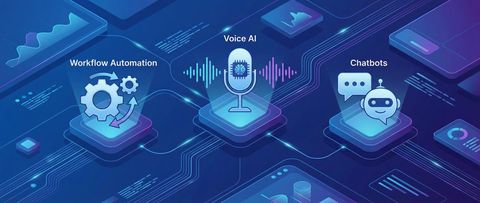
This is different from asking a consumer chatbot for marketing slogans. AI for small businesses is operational: a voice agent that answers the phone when your team is on a job site, a chat widget that qualifies leads from your website at midnight, a pipeline that reads PDF invoices and posts rows to your accounting sheet, or an internal assistant that answers HR and IT questions from your handbook. The technology is mature enough that a five-person company can ship a useful pilot in weeks, not years, if the scope stays honest.
The goal of this guide is simple: give you a clear map so you can pick one high-leverage problem, budget realistically, and avoid the failure mode where you pay for shiny demos that never touch daily operations.
Why Owners Are Adopting AI Now
Three forces converged. First, language models handle messy real-world text far better than traditional automation, so you can automate tasks that used to need a human reader. Second, integration tools such as n8n or Make lowered the cost of wiring APIs, webhooks, and spreadsheets together without a full engineering department. Third, customers expect instant responses; if your competitor answers at 10 p.m. and you answer Tuesday, you lose the job regardless of quality.
That does not mean you need an “AI strategy” slide deck. It means you pick measurable pain, for example hours spent on email triage, or percentage of calls that go to voicemail, then you design automation that moves those metrics.
Five High-Impact Use Cases for AI for Small Business
These are the patterns we see deliver ROI fastest when implemented with clear success criteria and a human review path for edge cases.
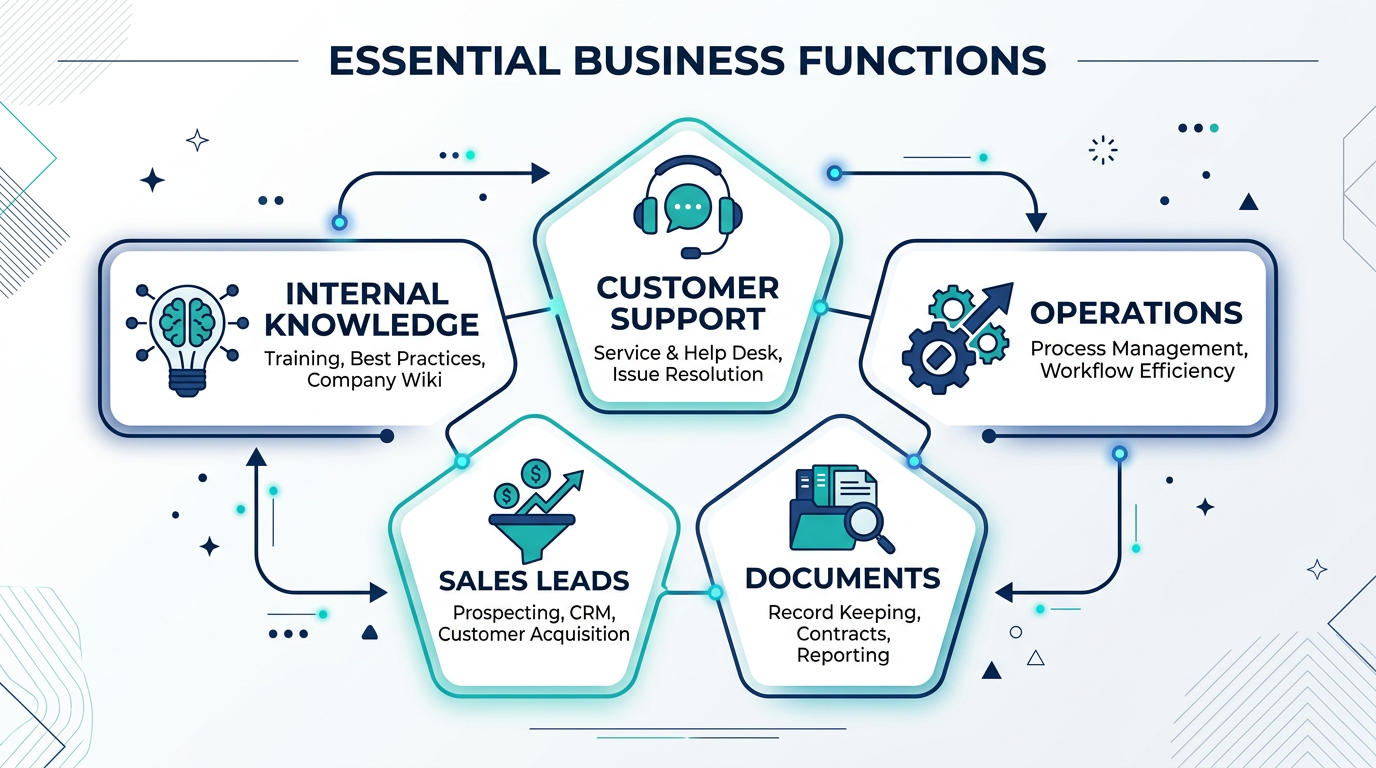
- Customer-facing voice and chat: Answer FAQs, book appointments, capture lead details, and escalate to humans with a full transcript. Pairs well with an AI receptionist build guide if phones are your bottleneck.
- Operations and inbox automation: Classify emails, extract order details, route messages to the right person, and draft first-pass replies for repetitive questions.
- Document and paperwork flows: OCR plus structured extraction for invoices, contracts, and forms, then push validated fields into CRM or accounting tools.
- Sales and marketing assist: Summarize discovery calls, generate first drafts from your positioning doc, and keep tone consistent, always with human approval before anything goes external.
- Internal knowledge: Retrieval-augmented assistants over your policies, SOPs, and product docs so staff stop hunting PDFs and ping one place for answers.
You do not need all five. Most teams win by mastering one workflow end to end, then copying the playbook.
A Practical 90-Day Rollout
Use this sequence to keep projects bounded and measurable.
- Days 1 to 14, discovery: Time-track repetitive work, interview frontline staff, and define one metric to improve, for example median response time or hours per week on data entry.
- Days 15 to 45, pilot build: Implement a minimal workflow with logging, error handling, and a manual review queue. Keep prompts and tools versioned so you can reproduce results.
- Days 46 to 75, harden: Add monitoring, data retention rules, and access control. Run parallel human vs AI on a sample batch until accuracy meets your threshold.
- Days 76 to 90, scale or stop: If ROI is clear, expand volume and adjacent steps. If not, document lessons and pivot rather than sinking cost into a dead path.
Costs, APIs, and Realistic Budgets
Budget in three buckets: implementation (workflow design, integrations, testing), recurring software (automation platform seats, telephony, hosting), and model usage (tokens per task times monthly volume). Small pilots often land in hundreds of dollars a month in API spend, not thousands, but high-volume document processing can scale quickly, so meter everything from day one.
- Start with a cap: Set hard monthly limits in your provider dashboard and alerts at 50% and 80%.
- Cache and batch: Repeated questions should hit a knowledge base or cached answer, not a full model call every time.
- Choose models by task: Simple classification does not need the largest flagship model; reserve premium models for nuanced generation.
Mistakes That Waste Money
- No owner: “The team” is not accountable. Name one person who approves prompts and monitors failures.
- No ground truth: If you cannot manually label fifty examples, you cannot judge if automation is improving.
- Skipping privacy review: Sending personal customer data to the wrong endpoint is a compliance incident, not a bug ticket.
- Chasing generic buzzwords: Ranking for broad terms feels good; fixing one broken workflow pays the bills.
Where to Go Deeper
If you are building a stack, our best AI automation tools for small business in 2026 breakdown compares voice, workflow, and RAG options on a realistic budget. For ROI framing on workflows, read AI automation ROI for small business workflows. When you are ready to implement voice, pair this guide with the receptionist article linked above.
Conclusion
AI for small business is not a single product. It is a set of focused automations tied to measurable outcomes. Pick one use case, run a disciplined ninety-day cycle, and expand only when the numbers justify it. That approach beats chasing every new model announcement.
At TecAdRise we design and ship AI automation for small businesses across Europe and beyond: voice receptionists, chatbots, n8n workflows, and RAG systems grounded in your documents. If you want a second pair of eyes on your pilot plan, book a conversation through our site.
Resources
Plan Your First AI Workflow
Tell us about one process you want off your plate. We will map tools, costs, and a realistic timeline.
Request a Demo