What Google Just Shipped
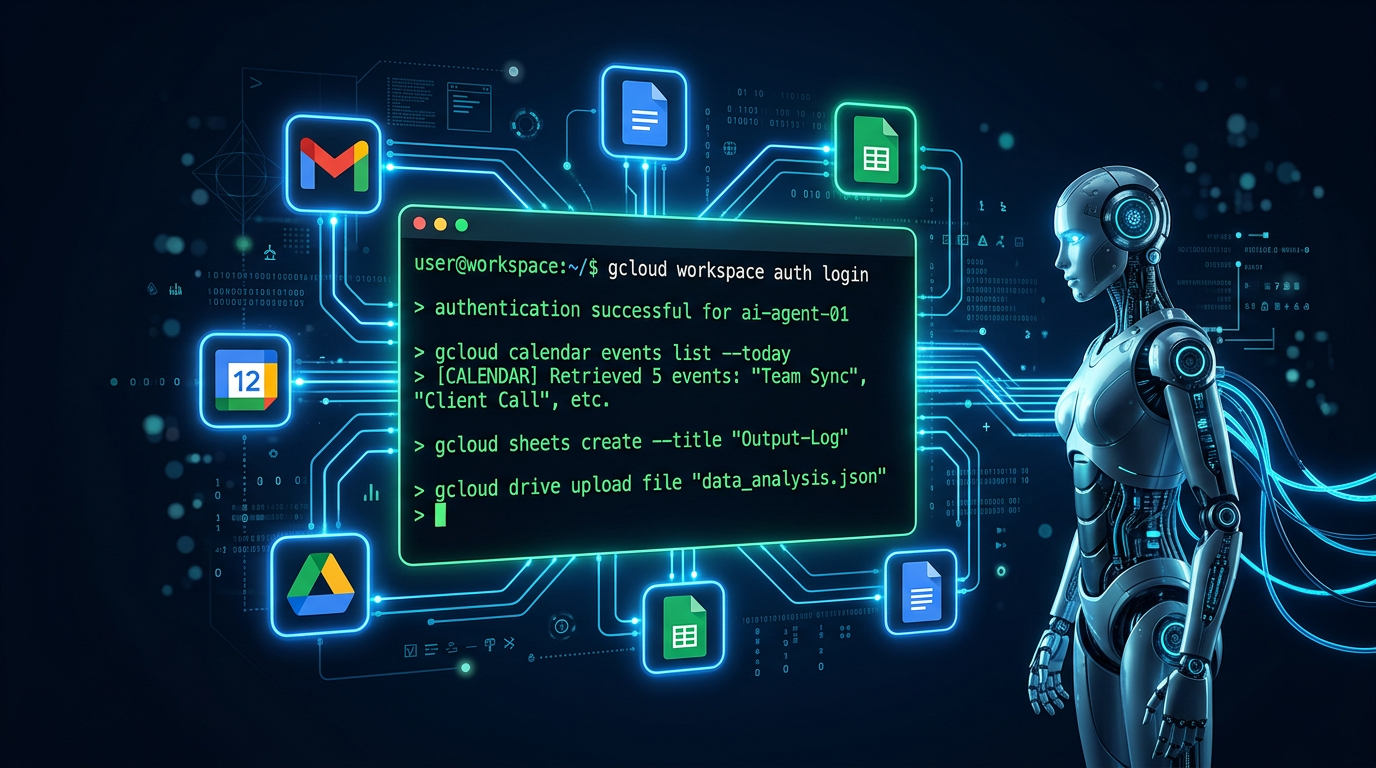
Google quietly released something that changes the game for AI agent developers: a fully official command-line interface for the entire Google Workspace suite. One tool. One install. Terminal access to Gmail, Calendar, Drive, Sheets, Docs, Chat, and Admin APIs — with 40+ built-in AI agent skills and native MCP (Model Context Protocol) server support out of the box.
At the time of writing it has already crossed 10,000 GitHub stars. The project is under active development, released v0.4.4 in March 2026, and is tracking toward a v1.0 release. This is not a community hack or a third-party wrapper — it is an official Google release, built by the Google Workspace team.
If you build AI agents, automate workflows, or charge clients for Google Workspace integrations, this release directly affects what you can build and how you build it.
What the Google Workspace CLI Actually Is
The tool is called gws and it is a unified CLI built in Rust. What makes it architecturally unusual is that it does not ship with hardcoded commands. Instead, it dynamically generates its entire command tree from Google's Discovery Service at runtime. That means every time Google adds or updates an API endpoint, gws picks it up automatically without a new release.
- Gmail: list, read, send, label, archive, search messages
- Calendar: create, update, delete events, list upcoming meetings, manage attendees
- Drive: list, upload, download, share, organise files and folders
- Sheets: create spreadsheets, read and write cell ranges, append rows
- Docs: create and edit documents, insert content, read document structure
- Chat and Admin: send messages, manage users, handle group operations
All output is structured JSON. Every response is designed to be consumed by an LLM without any parsing or transformation layer. That design choice alone separates it from every human-first CLI that was later bolted onto an AI workflow.
Installation and Setup
Requirements: Node.js 18 or higher. Install globally via npm:
npm install -g @googleworkspace/cli
Authenticate with your Google account:
gws auth setup
Verify the connection and list your Drive files:
gws drive files list --params '{"pageSize": 5}'Create a new spreadsheet:
gws sheets spreadsheets create --json '{"properties": {"title": "Q2 Budget"}}'List today's calendar events:
gws calendar events list --params '{"calendarId": "primary", "maxResults": 10}'Use --dry-run on any command to preview what it would do before executing — a critical safety rail when agents are making decisions autonomously.
How It Works: MCP Server and Agent Skills
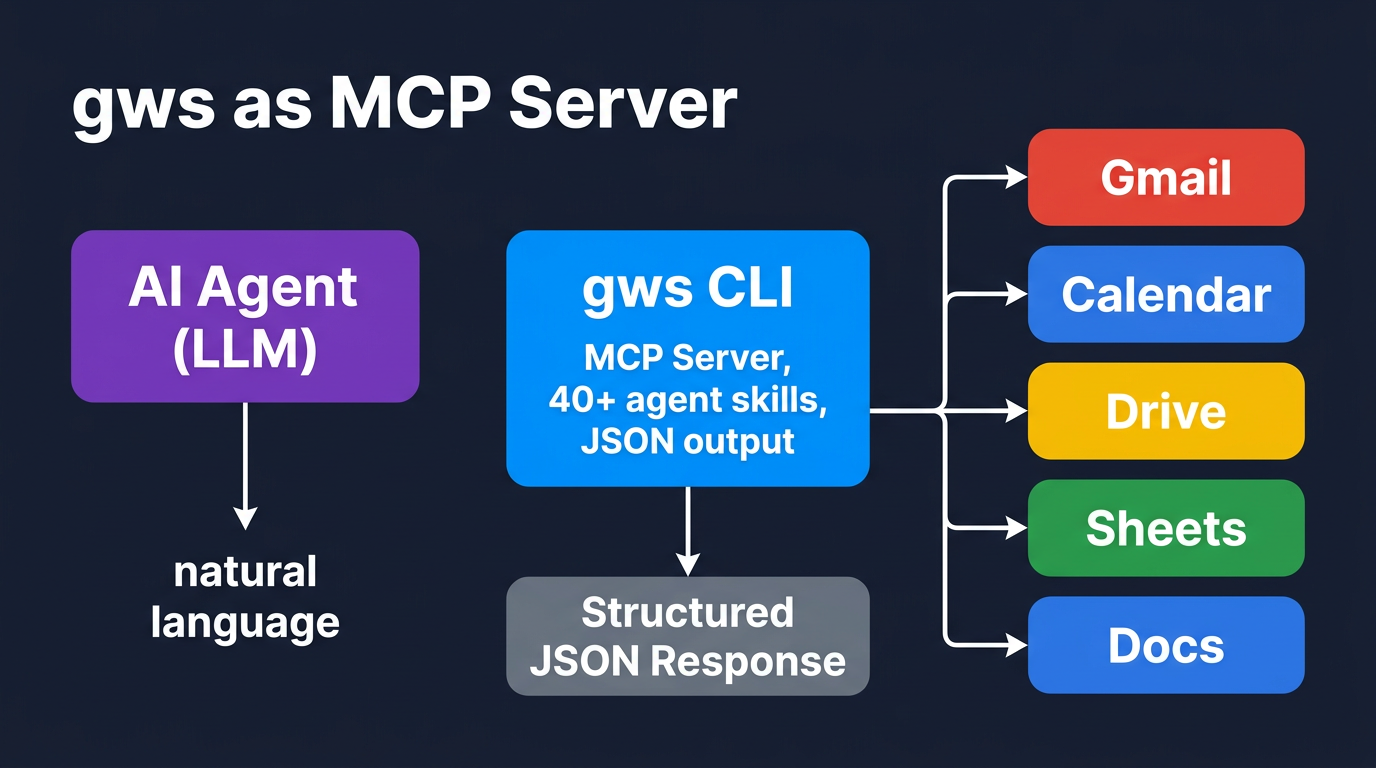
The most important capability for agent developers is that gws runs as a Model Context Protocol (MCP) server. This means you can connect any MCP-compatible LLM or agent framework directly to gws and give it access to all Workspace APIs through natural language tool calls.
Start gws as an MCP server:
gws mcp serve
Your agent framework now has access to every Workspace operation as a structured tool call. No custom API wrappers. No OAuth boilerplate. No JSON parsing middleware.
The 40+ built-in agent skills cover the most common Workspace tasks an AI agent would perform. Agent skills are pre-composed command sequences optimised for LLM consumption, with schema introspection available at runtime:
# Agent can query what skills are available at runtime
gws skills list

# Run a specific skill
gws skills run summarise-unread-emails
Runtime schema introspection means the agent does not need to rely on static documentation. It can ask gws what it can do and receive a machine-readable spec — eliminating a major class of hallucination errors where agents confidently call commands that do not exist.
Code Examples: Agents Using gws
Here are practical examples of what AI agents can now do natively, without third-party integrations.
Example 1: Agent reads unread emails and logs summaries to a Sheet
import subprocess, json

# Step 1: Fetch unread emails
emails_raw = subprocess.run(
    ["gws", "gmail", "messages", "list",
     "--params", '{"labelIds": ["UNREAD"], "maxResults": 10}'],
    capture_output=True, text=True
)
emails = json.loads(emails_raw.stdout)

# Step 2: For each email, fetch full content
for msg in emails.get("messages", []):
    detail = subprocess.run(
        ["gws", "gmail", "messages", "get",
         "--params", f'{{"id": "{msg["id"]}"}}'],
        capture_output=True, text=True
    )
    # Step 3: Pass to LLM for summary, then write to Sheets
    # gws sheets spreadsheets values append ...
Example 2: Agent schedules a meeting based on email context
# Read email thread, extract proposed time, create calendar event
gws calendar events insert --json '{
  "calendarId": "primary",
  "resource": {
    "summary": "Follow-up call with Acme",
    "start": {"dateTime": "2026-03-10T14:00:00+01:00"},
    "end":   {"dateTime": "2026-03-10T15:00:00+01:00"},
    "attendees": [{"email": "[email protected]"}]
  }
}'
Example 3: Agent organises Drive files by type and logs to Docs
# List all files in a folder
gws drive files list --params '{"q": "'''folder-id''' in parents", "pageSize": 50}'

# Move a file to a subfolder
gws drive files update --params '{"fileId": "abc123"}'   --json '{"addParents": "new-folder-id", "removeParents": "old-folder-id"}'

# Create a log document
gws docs documents create --json '{"title": "File Organisation Log - March 2026"}'
Example 4: Full MCP integration with Claude (Python)
import anthropic, subprocess, json

client = anthropic.Anthropic()

# gws running as MCP server on localhost
# Claude receives Workspace tools automatically via MCP
response = client.messages.create(
    model="claude-opus-4-5",
    max_tokens=1024,
    tools=[{
        "name": "gws_gmail_list",
        "description": "List Gmail messages",
        "input_schema": {
            "type": "object",
            "properties": {
                "maxResults": {"type": "integer"},
                "labelIds": {"type": "array", "items": {"type": "string"}}
            }
        }
    }],
    messages=[{
        "role": "user",
        "content": "Summarise my 5 most recent unread emails"
    }]
)
Combining gws with n8n Workflows
gws does not replace orchestration tools like n8n — it supercharges them. Where previously you needed the Gmail node, Calendar node, Drive node, Sheets node, and OAuth credentials configured separately for each, now a single Execute Command node running gws covers the entire Workspace surface with one auth setup.
A practical n8n pattern: trigger on a webhook, pass context to an AI agent node, use a gws command in an Execute node to write results back to a Sheet or send a drafted email.
# n8n Execute Command node — append lead data to a Sheet
gws sheets spreadsheets values append   --params '{"spreadsheetId": "{{$json.sheetId}}", "range": "Leads!A:E", "valueInputOption": "RAW"}'   --json '{"values": [["{{$json.name}}", "{{$json.email}}", "{{$json.company}}", "{{$json.score}}", "{{$now}}"]]}'
Google also maintains a pre-built Google Workspace Admin MCP server for n8n that exposes all 16 admin operations — user management, device management, group operations — with zero additional configuration.
The SaaS Disruption Angle
Here is the uncomfortable truth for a category of SaaS products: a significant portion of "workflow automation" tools charging $20 to $50 per month exist primarily to provide a friendly interface between users and Google Workspace APIs. Connect Gmail to Sheets, trigger a Calendar event when a form is submitted, move Drive files based on rules.
gws does not eliminate workflow automation as a category. Orchestration, multi-step logic, conditional branching, error handling — all of that still requires tools like n8n. But it does eliminate the API translation tax. The friction of getting an AI agent to interact with Gmail was previously non-trivial: OAuth flows, API key management, rate limit handling, response normalisation. gws handles all of that with a single auth setup and a predictable JSON interface.
Products most exposed to this shift:
- Simple Zapier or Make automations that only connect Google services to each other
- Tools whose core value is "read your Gmail and put it somewhere else"
- Chrome extensions and browser tools that interact with Workspace through the UI rather than the API
- Paid connectors for Google Workspace inside larger platforms
Products that survive and grow from this shift: orchestration tools with complex logic, multi-service integrations across non-Google platforms, and AI agent frameworks that can now use gws as a reliable Workspace backend.
Google Workspace Studio: The No-Code Side
Alongside the CLI, Google also reached general availability with Workspace Studio in December 2025 — a no-code platform for building AI agents inside Google Workspace. It uses Gemini's reasoning to let non-technical employees create agents that automate their own workflows without writing a single line of code.
In beta, customers deployed agents that processed over 20 million tasks in 30 days. Kärcher used agent teams to reduce feature proposal evaluation time by 90%, compressing hours of human work into two minutes.
The two products serve different audiences: Workspace Studio for business users, gws CLI for developers and AI agents. Together they represent Google's comprehensive push to make Workspace a programmable, agent-native platform rather than a suite of desktop productivity apps.
Conclusion
The Google Workspace CLI is one of the most practically significant releases for AI agent developers in 2026. It closes the gap between "AI agents that can theoretically interact with productivity tools" and "AI agents that actually do it reliably, with structured output, zero boilerplate, and native MCP support."
10,000+ GitHub stars in weeks, active development, and an official Google backing. This is not an experiment — it is infrastructure. The question is not whether AI agents will be integrated with Google Workspace at scale. The question is who will build the workflows on top of it, and how fast.
If you are building AI automation for any client that uses Gmail, Calendar, or Drive — and nearly every small business does — gws belongs in your stack today.
Resources
Ready to Build AI Agents That Work With Google Workspace?
At TecAdRise we design and implement AI agent workflows integrated with Google Workspace, n8n, and your existing business systems. Get in touch for a technical assessment.
Get Started